



Making More Sense While Making More Space
We last updated our UI/UX in February and have been taking notes from our users on our default navigation layout thinking how it could be improved. We started by doing some A/B testing and proved through testing that our navigation had some more room for improvement.
BTW: We already sent these details out via email, but thought it’d be good to publish these updates to our blog to make sure all our users see the update notes.

Of course, we hate changing things around once you’ve gotten used to them so we waited until we had some new potential features!
Here’s the biggest changes:
- Created a new section for all of our Competitor Research oriented tools
- Broke out our oversized SEO Section into SEO Research, Rank Tracking, Link Building & Keyword Research
- Decreased icon size and padding for each section to make more room for new features & tool
- Transformed the “Rankings” tool into a dedicated source for Bing Webmaster Tools data called “Bing Webmaster Tools” instead of duplicating the purpose/data of the Search Analytics tool.
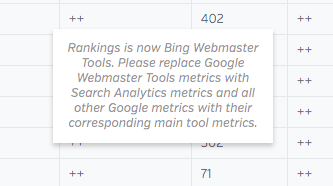
Where Is The Google Webmaster Tools Data? (Spoiler: It’s in the Search Analytics Tool)
In total, there were five difference places where you could find Google Search Console data—not counting Dashboards and Reports. That means we had five different tools to maintain, and our customers were increasingly confused by this data being all over the place. If you’re an older user of Raven Tools, you might be wondering where the “Google Webmaster Tools” tool wandered off to…
Google Webmaster Tools was created in a time where Google didn’t officially provide access to search queries. Over time, that tool has struggled under the weight of increased databases, more queries, and other limiting factors. Since we launched this tool, Google has greatly improved access to their Search Console data, which led to us building the newer Search Analytics tool. We announced our intention to remove GWT/Rankings (in favor of Search Analytics) last year, but delayed those plans until recently.
The good news is that the Google data that was previously available in GWT can be found in the Google Search Analytics tool, also found under the Rank Tracking menu. This data comes straight from Google Search Console and, unlike GWT, provides accurate information about overall clicks, impressions, and queries.
It’s currently limited to reporting data from a 90-day window, but Google recently expanded this window in Google Search Console itself and is expected to enhance their API with this change as well.
Finally, this data is still available in reports. We want to give our customers a chance to swap these widgets with their Search Analytics counterparts before fully removing the tool. We haven’t set an exact sunset date for when these will be full removed, but we expect that will come towards the end of this year.
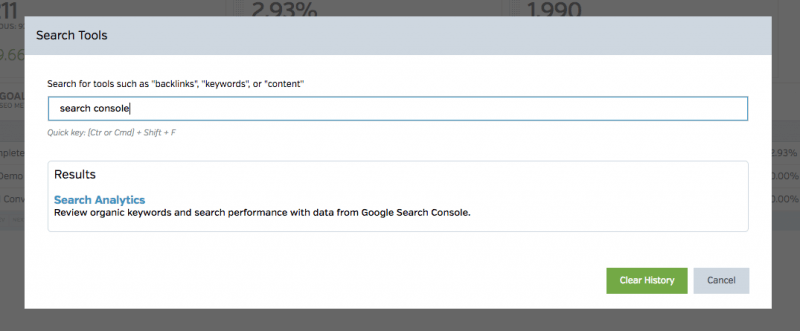
TLDR We didn’t remove Google Webmaster Tools completely. We sunset the oldest version of our tools that connect to Search Console. Use “Search Analytics” instead.
New Tool Search Function To Help You Navigate Raven
With all these new navigation options, we also wanted to give our users a shortcut to help find or get back to the tools you use the most. You can hit the new looking glass icon or hit Ctrl/Cmd + Shift + F to open a quick search tool.
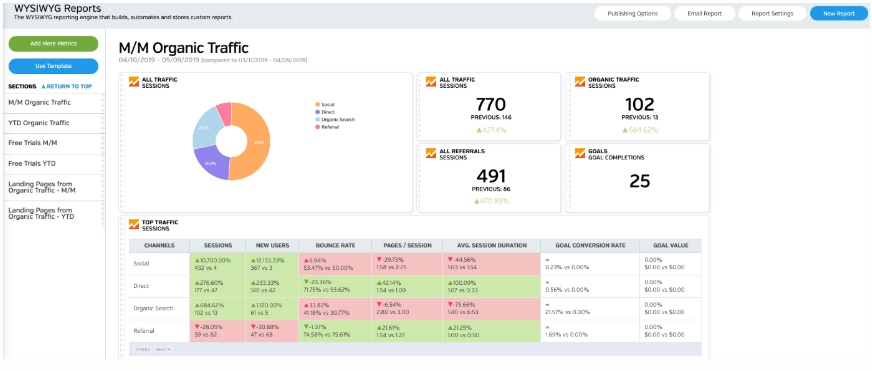
White Labeled and Branded Reports. Drag and Drop Editor. Automate your SEO, PPC, Social, Email, and Call Tracking Reporting.

